






- Find the best broker for your trading needs
- Compare spreads, fees, and platforms
- Read in-depth reviews and analysis


Select a different country or region to view content tailored to your location.

75-90% of retail traders lose money trading Forex and CFDs. You should consider whether you understand how CFDs and leveraged trading work and if you can afford the high risk of losing your money. We may receive compensation when you click on links to products we review. Please read our advertising disclosure. By using this website, you agree to our Terms of Service.

Alison Heyerdahl is the Head of Content at FxScouts, a Chartered Market Technician (CMT), and an experienced trader, as well as a financial writer with extensive expertise in Forex trading, broker analysis, and market research. She has reviewed 100+ brokers, publishes weekly YouTube trading videos, and co-hosts the “Let’s Talk Forex” podcast.

Alison Heyerdahl is the Head of Content at FxScouts, a Chartered Market Technician (CMT), and an experienced trader, as well as a financial writer with extensive expertise in Forex trading, broker analysis, and market research. She has reviewed 100+ brokers, publishes weekly YouTube trading videos, and co-hosts the “Let’s Talk Forex” podcast.
Chris Cammack is the Partner Manager and a financial writer at FxScouts. Chris builds and maintains our relationships with our partners to provide our users with the best Forex trading experience.
A demo account is forex trading’s test drive – real conditions, virtual money, no risk. But quality varies widely, and the habits you build here carry into live trading. I’ve tested demos across multiple brokers, and the differences matter. Here, I break down which ones genuinely mirror their live environment and which to avoid.
Every broker on this list is well-regulated, offers demos that reflect live spreads and execution speeds, and gives full platform access from day one.
Trusted. Transparent. Tested.
For over a decade, we’ve set the standard in forex broker reviews—collecting thousands of data points yearly to deliver unbiased, expert-backed insights.
Skip the trial and error! Below, you’ll find the best Malaysian forex brokers for 2026—thoroughly tested, verified, and ranked, so you can trade with confidence.

Swipe to scroll
Broker | Overall Rating Our overall rating evaluates brokers on platform quality, fees, service, regulation, and instruments. Higher scores reflect better performance and reliability. | Official Site Click to visit the broker’s official website for more information and to open an account. | Min. Deposit The minimum amount of money required to open an account with this broker. | Unlimited Demo | Support Hours | Trading Cost Total trading cost at the time of last update, for 1 lot of EUR/USD using the account with the lowest minimum deposit. Includes spread and commission. | Regulated Displays the financial regulators licensing the broker, shown by national flags, ensuring compliance with financial standards for safer trading. | Website Language: English | Support Language: English | Compare Select two brokers using the checkboxes to compare their features, fees, platforms, and more side by side. |
|---|---|---|---|---|---|---|---|---|---|---|
 | USD 5 | No | 24/5 | USD 6 |     | Yes | Yes | |||
 | USD 100 | No | 24/5 | USD 9 |     | Yes | Yes | |||
 | USD 0 | Yes | 24/5 | USD 10 |     | Yes | Yes | |||
 | USD 10 | Yes | 24/5 | USD 17 | | Yes | Yes | |||
 | USD 100 | Yes | 24/5 | USD 6 | | Yes | Yes | |||
 | USD 0 | No | 24/5 | USD 8 |  | Yes | Yes | |||
 | USD 100 | Yes | 24/5 | USD 6 | | Yes | Yes | |||
 | USD 100 | Yes | 24/7 | USD 14 |  | Yes | Yes | |||
 | USD 50 | No | 24/5 | USD 10 |  | Yes | Yes |









Select another broker to another broker to compare features, fees, and platforms side by side.
Find Your Ideal Forex Broker
Select another broker to another broker to compare features, fees, and platforms side by side.
0.6 pips
FSC, DFSA, CySEC, ASIC
USD 5
MT5, MT4
1000:1
XM offers lifetime demo accounts if actively used, allowing long-term strategy testing without pressure
Ideal for those who want to compare performance across account types or platforms
Gives ample room to simulate real-world trading risk-free
Practice with the exact same tools and execution environment as live accounts
If unused for 90 days, the demo is deleted—users must stay active
Some promotional bonus accounts are exclusive to live setups

XM | Best for: Beginners in Malaysia who want to test strategies on a risk-free MT4/MT5 environment with local support

FxScouts
 YouTube

Select another broker to another broker to compare features, fees, and platforms side by side.
0.9 pips
ISA, CMA, CBI, FSA-Japan, ASIC, CySEC, FSCA
USD 100
AvaOptions, Avatrade Social, MT5, MT4
400:1
Lets users see what assets others are trading—ideal for learning market sentiment
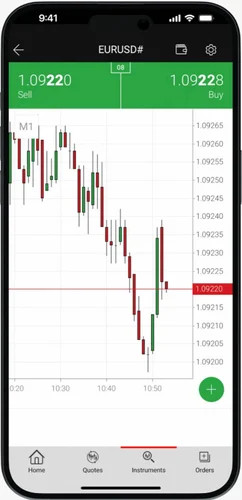
Practice risk-free with access to AvaProtect and one-click trading simulation
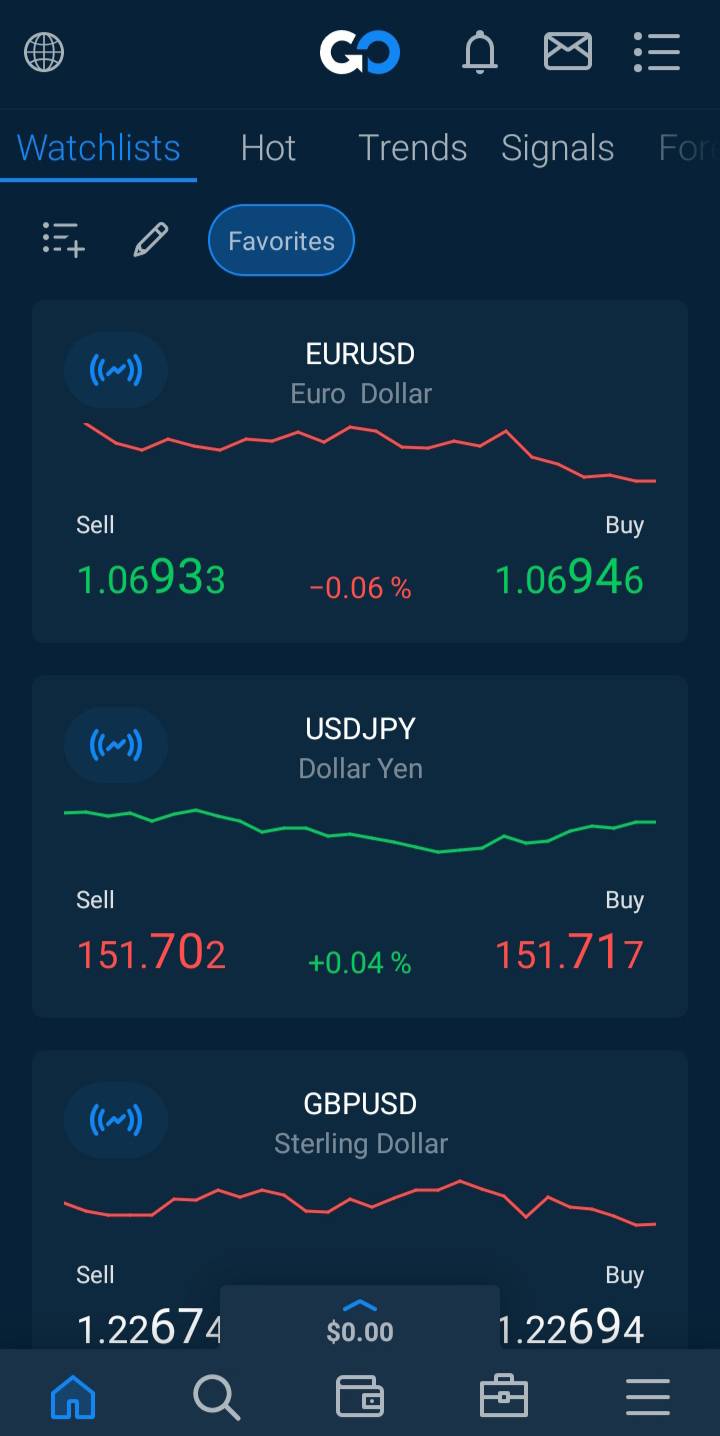
Use demo on MT4, MT5, or AvaTradeGO to explore different interfaces
Unless converted to live account, the demo will be closed automatically
This key risk management tool is limited to the AvaTradeGO app
AvaTrade | Best for: Beginners seeking a structured learning journey with a guided demo and risk management tools
FxScouts
YouTube

Select another broker to another broker to compare features, fees, and platforms side by side.
0.0 pips
CMA, FSA-Seychelles, FSC, FCA, FSCA
USD 0
HFM Trading App, MT5, MT4
1000:1
The demo account supports the same underlying platforms (MetaTrader 4 & 5) and wide asset classes (forex, metals, indices, cryptocurrencies) as HFM’s Malaysian live offering — giving demo users true exposure to the live eco-system they will eventually trade.
Malaysian users report deposit minimum equivalents as low as MYR 50 for live accounts; the demo account overlay means beginners can comfortably simulate strategies before thinking of real-funds.
While HFM is globally operated, their Malaysian-targeted review sites show that support in Bahasa Malaysia and regional hours are available, giving demo users an extra layer of comfort before they commit.
Even though deposits and local funding routes are supported, HFM’s demo account may not accurately mirror live spread widening, slippage during volatile sessions or MYR-base account conversion behaviour — Malaysian traders should treat demo results as indicative, not identical.
HFM’s live and demo operations for Malaysian clients are via offshore entities (e.g., in St Vincent & the Grenadines), not locally licensed by Securities Commission Malaysia. That means demo-to-live transition carries regulatory risk differences for Malaysian users.
HFM | Best for: Malaysian traders who want local support access and multi-platform trading before moving to live funds.
FxScouts
YouTube


Select another broker to another broker to compare features, fees, and platforms side by side.
0.7 pips
CMA, FSA-Seychelles, CySEC
USD 10
NAGA Web App, MT5, MT4
1000:1
Allows you to explore top trader portfolios and simulate copy trades before going live.
Gamifies the learning experience—ideal for new traders motivated by rankings.
Trade major assets like forex, crypto, and stocks without real risk.
NAGA provides suggestions and risk alerts based on what others are doing.
More suited for social-style traders than pure chartists or scalpers.
NAGA uses its own proprietary platform, which may not appeal to traditional users.
NAGA | Best for: Social traders looking to combine demo practice with community learning and leaderboards.
FxScouts
YouTube
Select another broker to another broker to compare features, fees, and platforms side by side.
0.0 pips
CMA, FSA-Seychelles, FSC, FSCA, ASIC
USD 100
TradingView, MT5, cTrader, MT4
500:1
Test strategies indefinitely across asset classes (FX, crypto, indices)
Demo uses raw pricing with live feed—ideal for EA testing and manual backtesting
Includes eBooks, daily market reports, and local video tutorials
Users can explore Myfxbook AutoTrade and Signal Start within the client portal
All demo access is tied to MT4/MT5 desktop/mobile only
No instant access demo—email confirmation is mandatory
FP Markets | Best for: New and intermediate traders wanting a full-function MT4/MT5 experience with multi-language support
FxScouts
YouTube
Select another broker to another broker to compare features, fees, and platforms side by side.
Forex demo accounts let you practice trading without risking real money. That part is obvious, but what is less obvious is how much the quality of your demo experience shapes your readiness for live trading. This is everything you need to know to choose the right demo account for you.
Demo accounts sound generic, but not all demo accounts are the same. Similar to live trading, choosing the right one starts with choosing the right broker. Here’s what I look for before opening anything.
Your demo account is practice for live trading. When you go live, your money will be held by that broker. Before I open a demo account, I confirm that the broker is licensed by a recognised top-tier regulator: the UK’s FCA, Australia’s ASIC, and CySEC in the EU are among the most strict and reliable. These regulators require brokers to hold your funds in segregated accounts and provide legal recourse if things go wrong. An unregulated broker’s demo account is practice for a broker you should never trade live with. If a broker is unregulated, I immediately scratch them off my list of potentials.
A demo account is only useful if it behaves like the real thing. The spreads, execution speeds, slippage, and available instruments should be identical to the live account. I’ve seen demos with artificially tighter spreads or faster execution than the broker’s live environment. This gives you a false sense of how a strategy will actually perform (with this broker). Before relying on any demo for strategy testing, I always check whether it explicitly mirrors live conditions, or I ask the broker directly. If you don’t get a straight answer, consider looking elsewhere.
Demo accounts are usually free, but that doesn’t mean you can use them forever. Some demo accounts expire after 30, 60, or 90 days. Others are unlimited. Some require a live account to prevent expiry. If you’re planning to test strategies over a longer period, confirm the account’s lifespan before you start. I also check whether the virtual balance can be reset, which is useful if you want to restart clean after a round of testing, and whether the demo can be reopened once it’s expired. Note that many brokers allow you to extend your demo account (not reopen it) if you contact them directly.
A demo account is a powerful tool, but only if you use it with intention. I’ve wasted time on demos that taught me nothing because I wasn’t deliberate about how I used them. These three practices are what made the difference for me.
Most demos are funded with $10,000 to $100,000 in virtual money. If you only plan to start live trading with $500, trade the demo as if it only has $500. Using the full virtual balance with oversized positions yields results that are irrelevant to your actual trading. I learned this early – realistic sizing builds realistic habits, and there’s no shortcut around it.
The biggest risk of demo trading is developing bad habits – taking positions you’d never take with real money, holding losers too long, or ignoring risk management because nothing’s really at stake. The emotional discipline required in live trading can’t be fully replicated in a demo, but treating every trade seriously is the closest you’ll get. I set stop-loss and take-profit levels on every position, every time. No exceptions.
Beyond strategy testing, the demo period is your chance to learn the platform properly. I use it to understand how to place orders, modify positions, set alerts, read charts, and practice with all the built-in tools. A platform you’re unfamiliar with under the pressure of live market conditions is a liability. Know every feature before you go live.
A demo account removes financial risk – but it doesn’t prepare you for every aspect of live trading. I learned this the hard way. Understanding the demo’s limitations is just as important as understanding its benefits.
The right demo account and the right broker won’t eliminate the challenges of live trading – but the wrong ones will teach you habits that actively work against you. I’ve seen this in my own trading, and it’s the main reason I’m particular about which demos I recommend.
Not all demos offer the same experience. The account type and platform you practise on will shape how prepared you are when you go live. Here’s how the main options compare.
| Demo type | Platform | Best for |
|---|---|---|
| Standard demo (no deposit required) | MT4, MT5, cTrader, or proprietary | First-time traders – full platform access with virtual funds, no financial commitment, open in minutes |
| Raw/ECN demo | MT4, MT5, or cTrader | Cost-conscious and strategy-testing traders – mirrors institutional-grade spreads and commission structure |
| Multi-platform demo | MT4, MT5, cTrader, TradingView (simultaneously) | Advanced traders comparing platforms – side-by-side testing of execution, charting, and toolsets |
| Unlimited/non-expiring demo | MT4, MT5, or proprietary | Long-term strategy developers – no pressure to go live on a deadline, ideal for systematic traders |
| Professional account demo | MT4, MT5, or proprietary | Experienced traders seeking professional terms – tests leverage and pricing for professional-status clients |
Demo trading is extremely valuable, but the way that most traders use it builds habits that hurt them on a live account. These are the five mistakes I see most often that consistently cause problems when switching over to live trading.
Being realistic is absolutely key. It’s tempting to go large, but trading a $100,000 demo when your live account will have $1,000 teaches you nothing useful. The position sizes, the risk per trade, the psychological experience are all completely different. I always try to match my demo balance to what I plan to deposit live. If you’re not sure yet, rather start with something small and realistic, like $500 to $2,000, and build your practice around that.
Of course this doesn’t mean you should never test unrealistic trades, it’s good for ‘what if’ scenarios, but for the most part, keep it low and realistic.
Every trade on a demo should have a stop-loss. It is one of the fundamentals of forex trading. If you practise without them, you’ll be conditioned to trade without them live. I made this mistake when I just got into forex trading. I got comfortable trading without stop-losses on a demo, and found myself not using them when trading live too, to my detriment. It took me weeks to change the habit from not having stop-losses in place to always having them, live or demo. The mechanics of setting and respecting a stop-loss need to become automatic. The demo is where that habit is built.
Put it on your checklist and don’t place the trade unless that box has been checked.
Similar to setting unrealistic balances, be realistic about how often you can trade. For example, taking ten trades a day on a demo to speed up your learning sounds productive. It’s not. It produces ten times the data but not ten times the quality. Overtrading on a demo builds overtrading habits that are very difficult to break on a live account. I always try to trade at the frequency I plan to trade live, and I spend as much time reviewing my trades as I do placing them. Keeping a trading journal, even on demo accounts, is very useful for this purpose.
A profitable demo run means you’ve learned how to execute your strategy technically. It does not mean you’re ready for live trading. The truth is that most traders lose money on live trading, and I’d go as far as to say that you learn more from your losing trades than your winning trades. It doesn’t mean you’ll never make money, but the standard recommendation is to be consistently profitable over at least two to three months on a demo, before considering a live account. Even then, start with the smallest amount you can.
Many traders use a demo account exclusively to test strategies and ignore the platform entirely. When they go live, however, they find themselves scrambling to locate risk management tools, order types, or charting features. The idea behind a demo account is to get familiar with the platform and its features so you can employ them during live trading. I use the demo to become fluent in every part of the platform, especially if I’ve never used it before. I place orders, modify positions, use alerts, access support, and navigate the account portal until I almost don’t have to think about how to access what feature and what it does.
If I can’t find and use it correctly on a demo, I definitely won’t be able to do it under the pressure of live trading.
I’ve put this table together so you can compare the demo account features at each broker side by side. Best value in each row is marked with ✓.
| Criteria | XM | AvaTrade | HFM | NAGA | FP Markets |
|---|---|---|---|---|---|
| Platforms on demo | MT4, MT5 ✓ | MT4, MT5, WebTrader, AvaTradeGO ✓ | MT4, MT5, HFM App ✓ | MT4, MT5, NAGA Web ✓ | MT4, MT5, cTrader, TradingView ✓ |
| Demo mirrors live spreads | Yes – mirrors standard account ✓ | Yes – live pricing ✓ | Yes – real-market conditions ✓ | Yes – live pricing ✓ | Yes – raw and standard spreads ✓ |
| Demo duration | Unlimited ✓ | 21 days (extendable) | Unlimited ✓ | Unlimited ✓ | 30 days (extendable) |
| Virtual balance | $100,000 ✓ | $10,000 | Customisable ✓ | $10,000 | Customisable ✓ |
| No deposit to open | Yes ✓ | Yes ✓ | Yes ✓ | Yes ✓ | Yes ✓ |
| Regulation tier | Tier 1 (CySEC, ASIC) ✓ | Tier 1 (CBI, ASIC, JFSA) ✓ | Tier 1 (FCA, CySEC) ✓ | Tier 1 (CySEC) ✓ | Tier 1 (ASIC, CySEC) ✓ |
Demo account duration and reset policies may change – always verify current terms directly with the broker before opening an account.
Not sure which broker to start with? Based on my testing, here’s what I’d recommend depending on your situation.
| My situation | Best pick | Why |
|---|---|---|
| I want an unlimited demo with the largest pool of instruments | XM | $100,000 virtual balance, 1,000+ instruments on MT4 and MT5, unlimited duration, mirrors live standard account conditions |
| I want to test the most proprietary platforms with built-in education | AvaTrade | Demo on MT4, MT5, WebTrader, and AvaTradeGO with live pricing – plus full access to AvaTrade Academy and AvaProtect risk tool |
| I want to set my own virtual balance with no time limit | HFM | HFM lets you match your demo balance to your planned live deposit – unlimited duration and real-market conditions on MT4, MT5, and HFM App |
| I want to practise copy trading in demo before going live | NAGA | Demo includes NAGA’s Autocopy feature – mirror experienced traders’ strategies with virtual funds on MT4, MT5, and the NAGA social trading platform |
| I want to test raw spreads across the most platforms | FP Markets | Demo mirrors both Raw and Standard pricing on MT4, MT5, cTrader, and TradingView – the broadest multi-platform demo environment on this list |


Find quick answers to common questions about Forex demo accounts, their benefits, and how to choose the right one for your trading journey.
It’s a practice account that lets you trade in real market conditions using virtual funds – no real money at risk. You get access to live prices, the full trading platform, and real order execution mechanics, but any profits or losses are simulated. It’s the standard starting point for new traders and a useful tool for experienced traders testing new strategies or platforms.
Opening a demo account is usually pretty quick at most brokers. Here’s the process I follow to open a demo account:
Step 1: Choose a regulated broker whose live conditions match your goals
I always start by picking a broker that’s regulated by a top-tier authority and whose live account type matches what I plan to trade. This goes for all account types and platforms, whether that’s a standard account, a raw/ECN account, or a specific platform like cTrader or TradingView. The demo is only useful practice if it closely mirror the live account you’ll eventually use.
Step 2: Register with your name and email
Most brokers let you open a demo with just your name and email, without financial documents or identity verification required at this stage.
Step 3: Download the platform or use the web version
This depends on your preference. Desktop/mobile platforms usually offer the same features, but double check this to see if there’s anything different and decide which you prefer. If the broker supports multiple platforms, I open demos on all of them so I can get a feel for it before deciding which I prefer. I take time to explore every area: charting, order placement, account history, and any built-in tools. This is where I form my opinion on whether the broker’s platform actually suits the way I trade.
Step 4: Set your virtual balance to match your planned live deposit
Before I place my first trade, I adjust the virtual balance to reflect what I plan to deposit on a live account. As mentioned before, it is extremely important to be realistic about the amount you’re going to trade on live so you can get the most out of trading on the demo account.
Step 5: Trade with full discipline from the start
From my first demo trade, I apply every rule I plan to follow live. I set a stop-loss and a take-profit on every position. I follow my strategy without exception. The habits I build here are the habits I’ll carry into live trading, and I want to make sure they’re the right ones.
Yes. All regulated brokers offer free demo accounts. No deposit is required to open one, and there are no fees. The only cost is your time. Some brokers require a live account to extend a demo beyond its expiry date, but the demo itself is always free to open and use.
It varies. Some expire after 30 days, others after 60 or 90. Many brokers – including AvaTrade, HFM, XM, NAGA, and FP Markets – offer unlimited demos with no expiry. Demo account duration and reset policies may change – always verify current terms directly with the broker before opening an account. Always check the expiry policy before you start, especially if you plan to test strategies over a longer period.
It should – but not all do. A good demo mirrors the live account’s spreads, execution speeds, slippage, and available instruments exactly. I’ve come across demos with artificially better conditions than the live environment, which gave me a misleading picture of how my strategies would perform. I always verify with the broker whether the demo explicitly replicates live conditions before I rely on it for any serious testing.
Match it to what you plan to deposit live. If you’re starting with $1,000, set your demo to $1,000. This ensures your position sizes, risk per trade, and overall experience are directly relevant to how you’ll actually trade. A $100,000 virtual balance when your live account will be much smaller teaches habits that don’t transfer.
When you can follow your trading rules consistently over a sustained period – not when you’re consistently profitable. I found that profitability in a demo didn’t guarantee live profitability, because the emotional pressure of real money changed my behaviour in ways I hadn’t expected. My recommendation is at least two to three months of disciplined demo trading before considering a live account, then starting with the smallest amount possible.
Yes, at most brokers on this list. If a broker offers copy trading, they’ll usually let you test it in demo mode – you can explore strategy provider listings, see how trade replication works, and observe platform features before committing real money. Always confirm with the specific broker whether their copy trading platform is available in demo, as this varies.
Yes, and it’s the recommended environment for it. MT4 and MT5 include strategy testers for backtesting on historical data, and demo accounts allow forward testing in real-time conditions. If you’re testing automated strategies, prioritise brokers whose demo mirrors live execution speeds and spreads as closely as possible.
No. Virtual funds are capped at your demo balance – you can’t go below zero. Some brokers will reset a depleted balance on request. In live trading, negative balance protection prevents you from losing more than your deposit at regulated brokers. This is one of the key reasons to choose a well-regulated broker from the outset, even before you deposit any real money.
Explore more resources that fellow traders find helpful! Check out these other guides to enhance your forex trading knowledge and skills. Whether you’re searching for the best brokers, educational material, or something more specific, we’ve got you covered:

Compare the best Forex brokers in Malaysia and find the one that suits your trading style and budget.

Regulation is the most important consideration when choosing a broker. Learn how regulators protect traders and how the Forex market is regulated.

Explore the best Forex brokers for beginners in the Malaysia with user-friendly platforms, educational resources, and demo accounts.
60-90% of retail traders lose money trading Forex and CFDs. You should consider whether you understand how CFDs and leveraged trading work and if you can afford the high risk of losing your money. We may receive compensation when you click on links to products we review. Please read our advertising disclosure. By using this website, you agree to our Terms of Service.
Partner Manager and Financial Writer
Head of Content
Financial Writer




Welcome to the FxScouts community! We’re thrilled to have you on board. You’ve successfully signed up for our forex newsletter, where you’ll receive expert insights, market analysis, and the latest news straight to your inbox.
Get ready to stay ahead of the curve with our regular updates designed to help you make informed trading decisions.
Happy trading!
The FxScouts Team