






- Find the best broker for your trading needs
- Compare spreads, fees, and platforms
- Read in-depth reviews and analysis


Select a different country or region to view content tailored to your location.

75-90% of retail traders lose money trading Forex and CFDs. You should consider whether you understand how CFDs and leveraged trading work and if you can afford the high risk of losing your money. We may receive compensation when you click on links to products we review. Please read our advertising disclosure. By using this website, you agree to our Terms of Service.

Alison Heyerdahl is the Head of Content at FxScouts, a Chartered Market Technician (CMT), and an experienced trader, as well as a financial writer with extensive expertise in Forex trading, broker analysis, and market research. She has reviewed 100+ brokers, publishes weekly YouTube trading videos, and co-hosts the “Let’s Talk Forex” podcast.

Alison Heyerdahl is the Head of Content at FxScouts, a Chartered Market Technician (CMT), and an experienced trader, as well as a financial writer with extensive expertise in Forex trading, broker analysis, and market research. She has reviewed 100+ brokers, publishes weekly YouTube trading videos, and co-hosts the “Let’s Talk Forex” podcast.
Chris Cammack is the Partner Manager and a financial writer at FxScouts. Chris builds and maintains our relationships with our partners to provide our users with the best Forex trading experience.
Having a reliable Forex trading app is important for all Forex traders. Whether you’re a beginner or a professional, being able to check market data and adjust trades on your phone is an essential part of your trading day.
These are the best Forex trading apps of 2026 designed for Malaysian traders of all levels. This comprehensive list will help you better understand the top Forex apps and their features and help you find the right one for your trading style. From risk management tools to advanced analysis, you will find everything you need from these apps for Forex trading on the go.
Trusted. Transparent. Tested.
For over a decade, we’ve set the standard in forex broker reviews—collecting thousands of data points yearly to deliver unbiased, expert-backed insights.
Skip the trial and error! Below, you’ll find the best Malaysian forex brokers for 2026—thoroughly tested, verified, and ranked, so you can trade with confidence.

Retail Forex trading is regulated locally by the Securities Commission Malaysia (SC), however, there are currently no brokers registered with the SC, and Malaysian traders typically open accounts with offshore brokers regulated by trusted global authorities like the UK’s FCA, ASIC in Australia and CySEC in Europe. Choosing a well-regulated broker is crucial for protecting your capital, ensuring fair treatment, and avoiding scams.
✔ FCA (UK) – Enforces fund segregation, negative balance protection, and strict conduct standards.
✔ ASIC (Australia) – Imposes strong compliance rules, leverage limits, and marketing safeguards.
✔ CySEC (Europe) – Ensures transparent pricing, audits, investor protection, and EU financial law compliance.
These regulatory bodies help ensure that your funds are safe, your trades are executed fairly, and your broker follows strict financial standards. Note that some protections may not apply to Malaysian clients.
💡 Tip: Always choose brokers regulated by at least one of these authorities.
Swipe to scroll
Broker | Overall Rating Our overall rating evaluates brokers on platform quality, fees, service, regulation, and instruments. Higher scores reflect better performance and reliability. | Official Site Click to visit the broker’s official website for more information and to open an account. | Min. Deposit The minimum amount of money required to open an account with this broker. | Regulators Displays the financial regulators licensing the broker, shown by national flags, ensuring compliance with financial standards for safer trading. | Mobile App | Compare Select two brokers using the checkboxes to compare their features, fees, platforms, and more side by side. | ||
|---|---|---|---|---|---|---|---|---|
 | USD 100 |        | AvatradeGo | |||||
 | USD 0 |     | HF App | |||||
 | USD 200 | | MT5 App | |||||
 | USD 5 |  | XM App | |||||
 | USD 0 |  | MT5 App | |||||
 | USD 50 |  | MT5 App | |||||
 | USD 100 | | MT5 App | |||||
 | USD 0 |  | xStation App | |||||
 | USD 100 | | FP Markets App | |||||
 | USD 10 | | Naga App | |||||
 | USD 100 |  | FxPro App |











Select another broker to another broker to compare features, fees, and platforms side by side.
Find Your Ideal Forex Broker
Select another broker to another broker to compare features, fees, and platforms side by side.
0.9 pips
ISA, CMA, CBI, FSA-Japan, ASIC, CySEC, FSCA
USD 100
AvaOptions, Avatrade Social, MT5, MT4
400:1
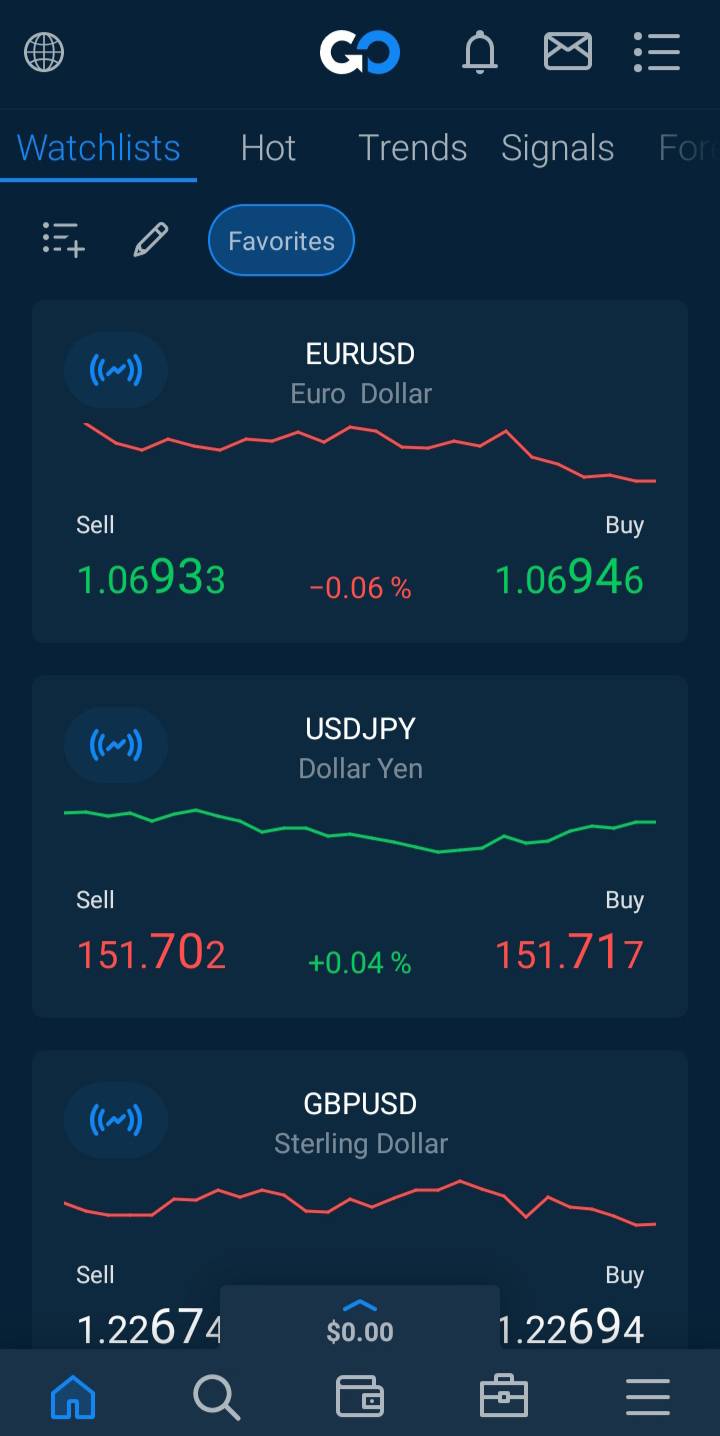
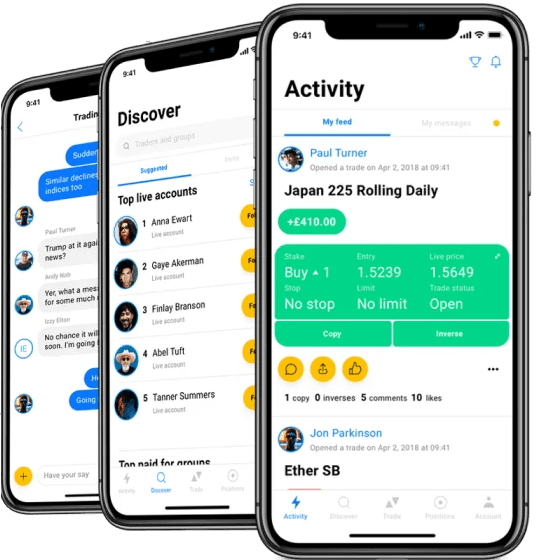
Simple, modern interface for placing trades, checking live prices, managing risk, and exploring market sentiment — perfect for new traders.
Insure your trades directly in the app — AvaProtect refunds losses during the protection window. A huge plus for mobile users managing risk.
Muslim traders in Malaysia can request a swap-free account and trade via AvaTradeGO or MT5 mobile — no interest, no extra charges.
Includes integrated trading tips, tutorials, and market commentary — excellent for beginner traders navigating mobile markets.
Trusted broker with oversight from top-tier authorities — adds an extra layer of credibility for mobile-first Malaysian traders.
Malaysians must use international cards or eWallets — no FPX or local bank funding options.
$100 (~RM460) minimum deposit may be steep for beginners who want to start small.
AvaTrade | Best Forex Trading App in Malaysia

FxScouts
 YouTube

Select another broker to another broker to compare features, fees, and platforms side by side.
0.0 pips
CMA, FSA-Seychelles, FSC, FCA, FSCA
USD 0
HFM Trading App, MT5, MT4
1000:1
The HFM app allows you to deposit, withdraw, monitor your wallet, and access account analytics — fully optimized for Malaysian clients.
Seamless transition from app to MT4 or MT5 mobile platforms — swap-free settings supported across all account types.
Deposit and withdraw in Malaysian ringgit with no conversion fees — easy and fast using local banking networks.
Start trading with just $5 (~RM25) — ideal for new traders testing the waters via mobile.
Get economic calendar updates, market news, and analysis — all accessible directly through the HFM app.
The HFM app manages your account, but all trading is done via MT4/MT5 — some users may prefer all-in-one apps like AvaTradeGO or FBS Trader.
Premium account spreads start from 1.0 pips — not ideal for high-frequency or cost-sensitive traders.
HFM | Best for Malaysian traders looking for local funding and MT4 trading via a hybrid mobile app
FxScouts
YouTube


Select another broker to another broker to compare features, fees, and platforms side by side.
0.1 pips
CMA, FSA-Seychelles, ASIC, CySEC
USD 200
TradingView, MT5, cTrader, MT4
500:1
IC Markets offers a dedicated mobile app (iOS and Android) that allows Malaysian users to open accounts, upload verification documents, deposit/withdraw funds and trade on the go.
Through the mobile app and supported platforms, Malaysian traders can access Forex, indices, commodities and cryptocurrencies with tight spreads and fast execution—matching the desktop experience.
Beyond basic trading, IC Markets supports social and copy-trading features (via tools like ZuluTrade and IC Social) and allows Malaysian traders to monitor or mirror trades conveniently from the app.
Malaysian traders are able to deposit through multiple methods (cards, e-wallets) and access round-the-clock live chat support, making the mobile trading experience smoother in a Malaysian context.
While mobile functionality is strong, Malaysian users still have to operate in base currencies such as USD or AUD, meaning mobile account management includes currency conversion risk.
Although the app is fully featured, Malaysian users are serviced via the broker’s offshore entities rather than a Malaysian-regulated branch, so protections tied to Malaysian law are weaker.
IC Markets | Best for: Malaysian traders who want full-feature trading access on the go across multiple platforms
FxScouts
YouTube
Select another broker to another broker to compare features, fees, and platforms side by side.
0.6 pips
FSC, DFSA, CySEC, ASIC
USD 5
MT5, MT4
1000:1
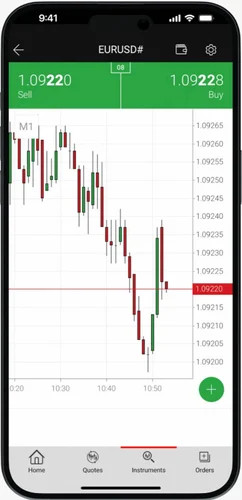
XM’s integration with MT5 mobile is stable and responsive — making it easy to place, manage, and monitor trades on the go.
Malaysians can fund in ringgit — no currency conversion fees, fast transfers, and full account funding from your phone.
Islamic accounts are available for all mobile-compatible account types — zero rollover interest or hidden charges.
Get started with just $5 (~RM25) — ideal for beginners learning to trade via mobile.
Execution speed and stability are strong even through MT5 mobile — excellent for day traders and short-term strategies.
XM does not offer its own branded app — users must use MetaTrader mobile with no added UX features or wallet integration.
Educational content is available on XM’s website — not directly inside the trading app.

XM | Best for beginner traders in Malaysia who want simple MT5 mobile access with local funding
FxScouts
YouTube

Select another broker to another broker to compare features, fees, and platforms side by side.
0.1 pips
FMA, FSA-Seychelles
USD 0
TradingView, MT5, cTrader, MT4
500:1
BlackBull Markets supports MetaTrader 4 and MetaTrader 5 mobile apps on iOS and Android, delivering fast execution, advanced charting, and full trade management on the go.
Using the ECN Prime or Institutional accounts, Malaysian traders can access spreads from 0.0 pips, paired with low commissions — ideal for active mobile traders.
Even when trading via mobile, orders are routed directly to deep liquidity pools with no dealing desk, helping reduce slippage during volatile market conditions.
BlackBull Markets integrates with TradingView, allowing traders to analyse markets using TradingView’s powerful charts and place trades seamlessly — including from mobile devices.
Malaysian traders onboarded via offshore entities can access higher leverage (often up to 1:500), enhancing flexibility for short-term and mobile-based strategies.
While powerful, ECN pricing and commission structures may feel complex for new traders just starting with mobile trading.
Select another broker to another broker to compare features, fees, and platforms side by side.


Before choosing a Forex trading app, it’s important to know the basics – how they work and how they differ from desktop platforms.
A Forex trading app is a mobile-based software tool that allows you to access the financial markets from your smartphone or tablet. These apps are developed either by Forex brokers (proprietary apps) or by third-party developers such as MetaQuotes (creators of MetaTrader 4/MetaTrader 5). Proprietary apps often feature simplified user interfaces because they are designed with beginner traders in mind. Third-party platforms, on the other hand, usually offer more advanced features suitable for experienced traders.
Forex trading apps generally allow you to:
Most of the popular trading apps used by Malaysian traders, such as those from AvaTrade, Tickmill, and HFM, offer fast local bank transfers, and support for Islamic (swap-free) accounts. They also provide access to a wide range of forex and CFD instruments, making them well-suited to the specific needs and preferences of Malaysia-based traders.
While both apps and desktop platforms connect to the same trading infrastructure, their practical use cases differ:
Forex trading apps are generally as secure as the broker operating them. For Malaysian traders, safety starts with choosing brokers regulated by reputable authorities such as ASIC (Australia), FCA (UK), or CySEC (Europe). While Malaysia’s local regulator, the Securities Commission Malaysia (SC), does not directly license most forex brokers, many top international brokers accept Malaysian clients under offshore licenses.
Additional safety tips include:
Note: App security protects your personal and financial data—but not your investment. Forex trading involves high risk. Always trade responsibly and only risk funds you can afford to lose.
Our editorial team—comprising Forex traders, analysts, and technical testers—evaluates apps against a fixed methodology:
Regulatory status and oversight (e.g., ASIC, FCA, CySEC)
Platform stability and execution performance
Cost structure and trading conditions
Toolset: charts, analysis, notifications, automation
Accessibility for Malaysian traders (MYR deposit support, Islamic accounts, local bank funding options)
With the right Forex trading app, you can stay updated with the latest market news, access charts, conduct technical analysis, and carry out trades—all from the convenience of your smartphone or tablet. Here is a more detailed overview:
When selecting a forex trading app in Malaysia, regulation should be your foremost concern. While the Securities Commission Malaysia (SC) oversees capital markets, it does not directly regulate most retail forex brokers. As a result, Malaysian traders often use international brokers regulated by reputable authorities such as:
These top-tier regulators require brokers to maintain segregated client funds, ensure fair trading practices, and publish transparent fee structures.
Caution: Avoid brokers operating under weak offshore licenses that lack stringent oversight. These brokers may not offer sufficient client protections or dispute resolution mechanisms. Always verify the broker’s license and regulatory status before opening an account.
When comparing forex trading apps in Malaysia, don’t just look at spreads—consider the full range of trading and non-trading fees:
Some apps may promote ultra-low spreads on popular pairs like EUR/USD but impose higher charges on assets like gold, indices, or crypto CFDs.
Trusted brokers publish complete fee breakdowns under “Trading Conditions” or “Contract Specifications.” Always review these sections to understand the total cost of trading—not only on major currency pairs, but also on other instruments you may plan to trade in the future.
A good trading app should offer an intuitive experience. Whether a beginner or an experienced trader, you need easy navigation, fast access to tools, and support for your trading style. Choose an app that works well on your device—some apps are poorly optimised for iOS or Android, so testing the demo version first is always recommended.
Speed and reliability in trade execution are essential. Delays, slippage, or frequent “off quotes”—errors that are common with less liquid instruments like stocks or during volatile market events—can hurt your results. Look for apps from brokers that offer fast order execution (preferably with a Straight-Through Processing (STP) model) and clearly disclose their execution policies, including how they handle slippage and order rejection.
Apps with poor execution or frequent pricing issues should be avoided. Testing execution during peak hours on a demo account can help identify problems before you commit real capital.
Choose an app that gives you access to real-time market data, advanced charting, and essential tools like technical indicators, drawing tools, and automated alerts. Apps like MetaTrader 4 (MT4) or MetaTrader 5 (MT5) usually offer excellent charting features and support for custom indicators, while some proprietary apps may lack depth.
Also, ensure the app supports third-party integrations if needed. Some brokers allow trading directly from platforms like TradingView, which can enhance your charting experience.
Practising with a free demo account is vital. Most Forex trading apps offer this feature, but check the terms—some brokers may restrict demo use after periods of inactivity. For example, Exness may archive MT5 demo accounts after 21 days of inactivity. Ensure the app lets you easily recreate demo accounts if needed and doesn’t impose unnecessary limitations.
Make sure the app offers access to a wide range of assets—major, minor, and exotic currency pairs, as well as commodities, indices and more.
Before signing up, verify that the mobile app includes all instruments offered on the broker’s full platform.

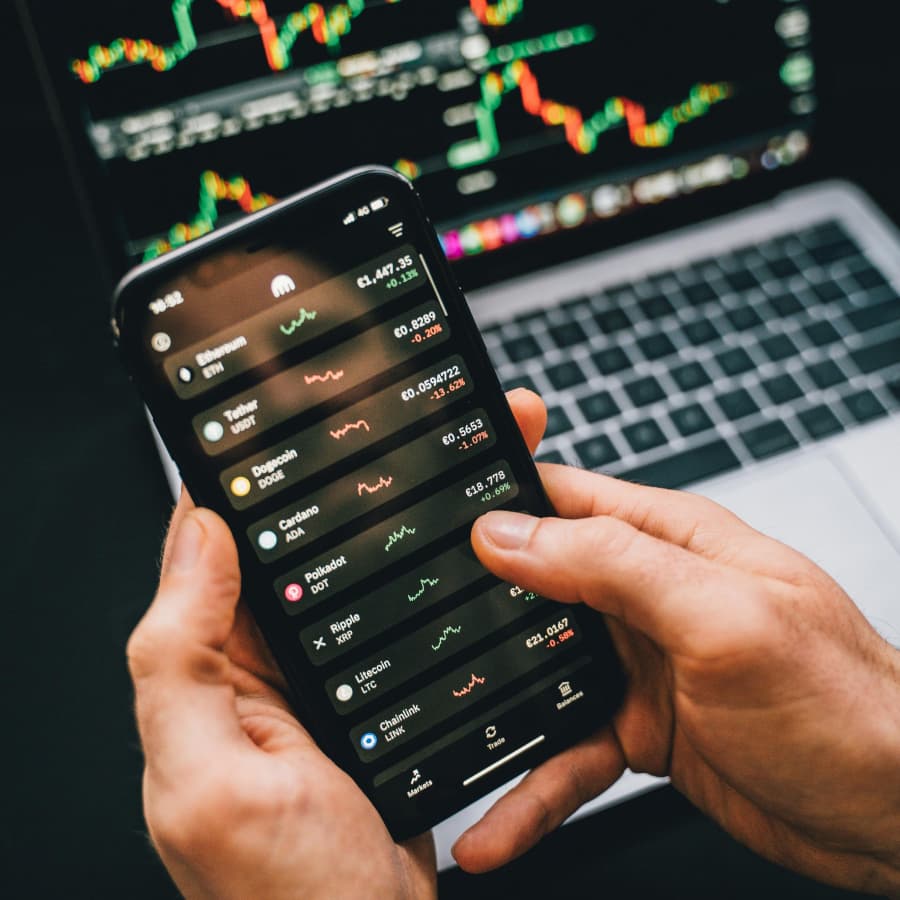
Answers to some of the most common questions about trading apps.
Yes, most trading apps are compatible with both Android and iOS devices. They can be downloaded from the Google Play Store or Apple App Store. Additionally, many brokers offer web-based platforms accessible through mobile browsers.
While downloading and using the app is typically free, trading may involve costs such as:
Reputable trading apps implement strong security measures, including:
Always ensure you download apps from official sources and keep them updated.
Yes, most major trading apps such are optimised for tablets and iPads. You can trade using the same account across mobile and desktop devices, making it easier to manage trades on the go or at home.
For beginner traders in Malaysia the best forex trading apps are those that are well-regulated, user-friendly, and provide access to free demo accounts.
Key Features to Look For:
The minimum deposit varies by broker. Some brokers allow deposits as low as 10 USD, while others may require higher amounts. It’s advisable to check with individual brokers for their specific requirements.
Trading Forex from your phone is simple if you’re using the right app—especially one that’s well-regulated and offers fair pricing, security, and ease of use. Here’s a step-by-step guide for Malaysian traders:
1. Choose a Forex Trading App
Start by selecting a reliable Forex trading app that is regulated by a top-tier regulator. This ensures your funds are protected and. Popular options include apps from brokers like HFM, AvaTrade and Pepperstone.
2. Open a Trading Account
Once you’ve chosen your app, register for a live trading account. You’ll need to complete a verification process by submitting your ID, proof of residence, and sometimes a bank statement to comply with regulations.
3. Fund Your Account
Deposit funds into your trading account using a method that suits you. Some apps support local payment options, including bank transfers and FPX. Deposits are typically processed instantly or within a few hours, depending on the method used.
4. Select a Currency Pair
Browse the app’s instrument list and search for the Forex pair you want to trade—such as GBP/USD, or EUR/USD. Apps usually have a search bar or category filters to help you find the right instrument.
5. Place Your Order
You can buy Forex using one of two main order types:
6. Confirm the Trade
Before finalising the purchase, the app will show a summary of your order, including the currency pair, order type, trade size, and any applicable fees. Double-check the details and tap “Buy” to place the order.
7. Track and Manage Your Trade
You can monitor your open positions and overall performance under the “Portfolio” or “Positions” tab. Most apps also let you set stop-loss and take-profit levels to manage your risk.
Explore more resources that fellow traders find helpful! Check out these other guides to enhance your forex trading knowledge and skills. Whether you’re searching for the best brokers, educational material, or something more specific, we’ve got you covered:
Compare the best Forex brokers in Malaysia and find the one that suits your trading style and budget.

Regulation is the most important consideration when choosing a broker. Learn how regulators protect traders and how the Forex market is regulated.

Explore the best Forex brokers for beginners in the Malaysia with user-friendly platforms, educational resources, and demo accounts.
60-90% of retail traders lose money trading Forex and CFDs. You should consider whether you understand how CFDs and leveraged trading work and if you can afford the high risk of losing your money. We may receive compensation when you click on links to products we review. Please read our advertising disclosure. By using this website, you agree to our Terms of Service.
Partner Manager and Financial Writer
Head of Content
Financial Writer



Welcome to the FxScouts community! We’re thrilled to have you on board. You’ve successfully signed up for our forex newsletter, where you’ll receive expert insights, market analysis, and the latest news straight to your inbox.
Get ready to stay ahead of the curve with our regular updates designed to help you make informed trading decisions.
Happy trading!
The FxScouts Team