







- Find the best broker for your trading needs
- Compare spreads, fees, and platforms
- Read in-depth reviews and analysis

Page Navigation


Select a different country or region to view content tailored to your location.

FxScouts helps traders across the globe by meticulously testing and reviewing online brokers and providing Forex education and market analysis. Our partners compensate us through paid advertising. While partners may pay to provide offers or be featured, they cannot pay to alter our recommendations, advice, ratings, or any other content. Our content and research teams do not participate in any advertising planning nor are they permitted access to advertising campaign data. For more information, click here.

Alison Heyerdahl is the Head of Content at FxScouts, a Chartered Market Technician (CMT), and an experienced trader, as well as a financial writer with extensive expertise in Forex trading, broker analysis, and market research. She has reviewed 100+ brokers, publishes weekly YouTube trading videos, and co-hosts the “Let’s Talk Forex” podcast.

Alison Heyerdahl is the Head of Content at FxScouts, a Chartered Market Technician (CMT), and an experienced trader, as well as a financial writer with extensive expertise in Forex trading, broker analysis, and market research. She has reviewed 100+ brokers, publishes weekly YouTube trading videos, and co-hosts the “Let’s Talk Forex” podcast.
Chris Cammack is the Partner Manager and a financial writer at FxScouts. Chris builds and maintains our relationships with our partners to provide our users with the best Forex trading experience.
Having a reliable Forex trading app is important for all Forex traders. Whether you’re a beginner or a professional, being able to check market data and adjust trades on your phone is an essential part of your trading day.
These are the best Forex trading apps of 2026 designed for Indian traders of all levels. This comprehensive list will help you better understand the top Forex apps and their features and help you find the right one for your trading style. From risk management tools to advanced analysis, you will find everything you need from these apps for Forex trading on the go.
Trusted. Transparent. Tested.
For over a decade, we’ve set the standard in forex broker reviews—collecting thousands of data points yearly to deliver unbiased, expert-backed insights.
Skip the trial and error! Below, you’ll find the best forex brokers for Indian traders in 2026—thoroughly tested, verified, and ranked, so you can trade with confidence.

Swipe to scroll
Broker | Overall Rating Our overall rating evaluates brokers on platform quality, fees, service, regulation, and instruments. Higher scores reflect better performance and reliability. | Official Site Click to visit the broker’s official website for more information and to open an account. | Min. Deposit The minimum amount of money required to open an account with this broker. | Regulators Displays the financial regulators licensing the broker, shown by national flags, ensuring compliance with financial standards for safer trading. | Mobile App | Compare Select two brokers using the checkboxes to compare their features, fees, platforms, and more side by side. | ||
|---|---|---|---|---|---|---|---|---|
 | USD 0 |      | HF App | |||||
 | USD 5 |     | XM App | |||||
 | USD 100 |    | AvatradeGo | |||||
 | USD 100 | | FP Markets App | |||||
 | USD 20 | | ||||||
 | USD 100 |  | Markets.com | |||||
 | USD 0 |  | xStation App | |||||
 | USD 10 |  | BD Swiss App | |||||
 | USD 10 | | Naga App | |||||
 | USD 50 | | MT5 App |










Select another broker to another broker to compare features, fees, and platforms side by side.
Find Your Ideal Forex Broker
Select another broker to another broker to compare features, fees, and platforms side by side.
0.0 pips
CMA, FSA-Seychelles, FSC, FCA, FSCA
USD 0
HFM Trading App, MT5, MT4
2000:1
HFM's own mobile app delivers daily analysis, real-time quotes, and education tailored to Indian time zone
Users can request withdrawals within the app and receive same-day processing for Indian e-wallets
Mobile app shows your bonus/rebate status in real time — uncommon among Forex brokers
Ideal for new Indian users wanting capital boost without margin restriction
Unlike AvaTrade or NAGA, copy trading must be done via MT5 or third-party services
UI may feel less modern or intuitive to millennial traders
HFM | Best for: Indian mobile traders who want multi-platform access and localized support with bonus flexibility

FxScouts
 YouTube


Select another broker to another broker to compare features, fees, and platforms side by side.
0.6 pips
FSC, DFSA, CySEC, ASIC
USD 5
MT5, MT4
1000:1
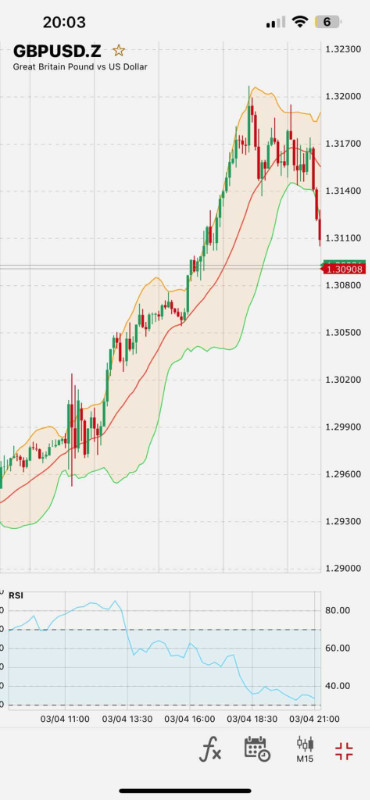
XM offers seamless access to MetaTrader 4 & 5 mobile platforms with low-latency execution, ideal for chart traders.
Indian traders can claim up to $30 no-deposit bonus directly through mobile registration — ideal for low-risk exploration.
Traders in India can join daily forex webinars and market updates in Hindi and English through the app ecosystem.
Mobile users can open Micro Accounts with lot sizes tailored for new traders in India.
Relies entirely on MetaTrader mobile; lacks built-in analytics, risk tools, or native interface features
Requires external plugins or MT5 signals — not beginner-friendly for auto-trading

XM | Best for: Indian traders who value multilingual support and ultra-low spread trading on MT4/MT5 mobile
FxScouts
YouTube

Select another broker to another broker to compare features, fees, and platforms side by side.
0.9 pips
ISA, CMA, CBI, FSA-Japan, ASIC, CySEC, FSCA
USD 100
AvaOptions, Avatrade Social, MT5, MT4
400:1
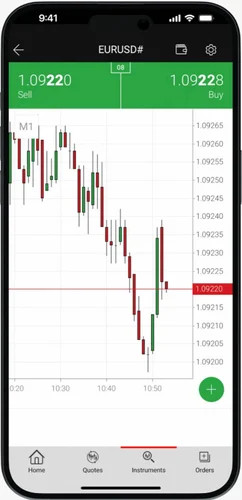
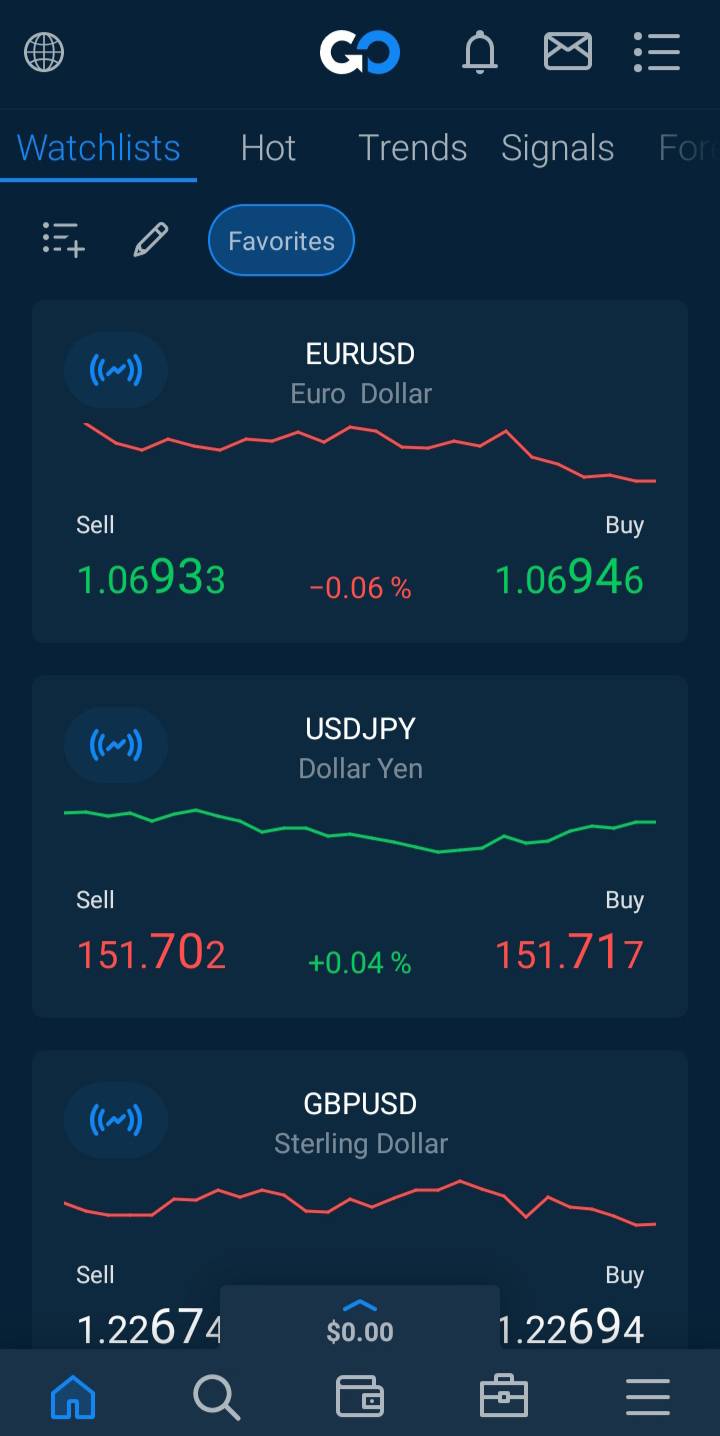
Features like Market Trends, one-click trading, and educational walkthroughs simplify the mobile trading experience for new users.
Exclusive to AvaTradeGO, this tool lets traders protect trades for a fee — ideal for news or uncertain events.
App supports easy integration with ZuluTrade and DupliTrade, allowing Indian users to mirror pro strategies without leaving the app environment.
Indian swing traders benefit from knowing their spread costs upfront, especially during volatility.
Features like AvaProtect may lag on older Android models based on user reviews.
Some Indian clients report KYC document approval takes longer than industry average.
AvaTrade | Best for: Indian beginners and swing traders who want smart trading insights built into an easy-to-use mobile app
FxScouts
YouTube

Select another broker to another broker to compare features, fees, and platforms side by side.
0.0 pips
CMA, FSA-Seychelles, FSC, FSCA, ASIC
USD 100
TradingView, MT5, cTrader, MT4
500:1
FP Markets’ mobile platform is integrated with Equinix servers in NY4, allowing lightning-fast execution ideal for scalpers and day traders in India.
Traders can switch between FP Markets' proprietary mobile platform, MT4/MT5, and Iress for CFD equity trading — rare for Indian users.
FP Markets integrates advanced analytics tools into mobile apps, giving Indian traders institutional-grade signals on the go.
Reliable customer service for Indian traders with regional time-zone compatibility and language options.
While Iress is excellent for stock CFD traders, its full capabilities are limited to desktop.
Unlike others like NAGA or AvaTradeGO, FP Markets doesn’t support native social or copy trading within the app.
FP Markets | Best for: Traders looking for institutional-grade execution and seamless MT4/MT5 mobile integration
FxScouts
YouTube
Select another broker to another broker to compare features, fees, and platforms side by side.
0 pips
FSC, FSCA, ASIC
USD 20
PU Web Trader, MT5, MT4
1000:1
The PU Prime App combines trading, account management, and market analysis tools in a single mobile interface. Traders can access charts, indicators, market news, and an economic calendar while managing their accounts directly from the app.
Copy trading is built directly into the PU Prime App, allowing traders to follow and replicate strategies from signal providers. This makes the mobile experience accessible for beginners who prefer a more hands-off approach to trading.
Traders who prefer the traditional MetaTrader ecosystem can use the MT4 and MT5 mobile apps to analyse charts, manage positions, and execute trades from their smartphones.
The standalone PU Social App allows traders to interact with a trading community, explore strategies, and follow other traders. It is available on both Android and iOS and focuses on social engagement around trading ideas.
The PU Prime App integrates live customer support directly within the platform, allowing traders to quickly resolve issues or get assistance without leaving the mobile trading environment.
PU Social operates as a separate application rather than being fully integrated into the main trading app or desktop platform.
PU Prime accepts Indian traders through its international entities but does not hold a licence from India’s SEBI regulator.
Select another broker to another broker to compare features, fees, and platforms side by side.


FxScouts uses a hands-on approach, combining detailed and systematic evaluation with expert analysis and practical testing to review each broker thoroughly.
When comparing the best Forex Trading Apps, we:


Here’s a look at what you need to know about Forex trading apps, what to look for and how to get started.
A Forex trading app is an application you can download to your phone or tablet that allows you to trade Forex and other financial instruments.
Forex trading apps are usually offered free by Forex brokers. Some apps are proprietary, which means they are developed in-house by a broker. But many popular apps are developed by third-party companies. Proprietary Forex trading apps are usually easier to set up and use by beginners.
Forex trading apps will let you open a demo or trading account with the broker, buy and sell instruments, deposit and withdraw funds from your broker, provide real-time market data, display news and analysis, and provide price alerts and other tools to manage your risk.
Forex trading apps are available on mobile devices, while Forex trading platforms run on desktop computers. Otherwise, they perform the same function. Both allow you to trade on financial markets and will connect to your broker’s trading system. Desktop trading platforms tend to have more features and tools than trading apps and are favoured by experienced traders who require more in-depth technical analysis and advanced order types.
With the right Forex trading app, you can stay up to date with the latest market news, access charts, conduct technical analysis, and carry out trades all from the convenience of your smartphone or tablet. But with so many apps out there, how do you choose the best Forex trading app for you?
Here are a few important things to consider:
Regulation and Security: Ensure you choose an app from a well-regulated Forex broker with a good reputation. Well-regulated provide secure trading environments and are transparent about their fees, commissions, and risk management policies.
Fees: This includes any commission charges, spreads, or other costs associated with using the app, such as rollover fees and deposit and withdrawal fees. Always make sure you understand your broker’s fee structure before starting trading.
User-Friendly: You don’t want an app that’s too complicated and difficult to use. Look for an app that is user-friendly with an intuitive design that provides a streamlined trading experience. Many good brokers provide tutorial walk-throughs of their apps to help you get on your feet.
Trading Execution: Your app should be fast and reliable, meaning orders can be placed, closed and managed almost instantly. Apps with poor trade execution can greatly increase risk and may lead to higher losses.
Tools and Features: Ensure the app has the tools to maximise your trading opportunities. Does it offer real-time market data? Does it have advanced charting capabilities? Does it offer automated trading? Can you conduct technical analysis? Can you set automated price alerts? Knowing the features you want will help you narrow down your choice of app.
Demo Accounts: Choose an app with a free demo account that allows you to test out its features and see whether it meets your trading needs. You can also test out your trading strategies in real market conditions before using real money.
Financial Instruments: Many brokers only allow traders to trade on a portion of the instruments available on the desktop and browser versions of the platform. Consider whether the instruments you prefer trading are available on the app.
While trading apps have advantages, such as responding immediately to market movements, there are also disadvantages, such as the risk of overtrading and trading while distracted. Tune in to our recent podcast episode to find out more:
All Forex and CFD trading comes with a high degree of risk of losing all the money in your trading account. In terms of app security, as long as you download an app from a well-regulated broker and protect your trading account with a strong password and two-factor authentication, your Forex trading app should be secure from hackers.
Explore more resources that fellow traders find helpful! Check out these other guides to enhance your forex trading knowledge and skills. Whether you’re searching for the best brokers, educational material, or something more specific, we’ve got you covered:

Discover the top Forex brokers for Indian traders. Compare top platforms, fees and features to make an informed trading choice.

Regulation is the most important consideration when choosing a broker. Learn how regulators protect traders and how the Forex market is regulated.

Good Forex brokers for beginners will help their clients get started. These are the best Forex brokers for beginners for 2026.
60-90% of retail traders lose money trading Forex and CFDs. You should consider whether you understand how CFDs and leveraged trading work and if you can afford the high risk of losing your money. We may receive compensation when you click on links to products we review. Please read our advertising disclosure. By using this website, you agree to our Terms of Service.
Partner Manager and Financial Writer
Head of Content
Financial Writer




Welcome to the FxScouts community! We’re thrilled to have you on board. You’ve successfully signed up for our forex newsletter, where you’ll receive expert insights, market analysis, and the latest news straight to your inbox.
Get ready to stay ahead of the curve with our regular updates designed to help you make informed trading decisions.
Happy trading!
The FxScouts Team