





- Find the best broker for your trading needs
- Compare spreads, fees, and platforms
- Read in-depth reviews and analysis

Page Navigation


Select a different country or region to view content tailored to your location.

FxScouts helps traders across the globe by meticulously testing and reviewing online brokers and providing Forex education and market analysis. Our partners compensate us through paid advertising. While partners may pay to provide offers or be featured, they cannot pay to alter our recommendations, advice, ratings, or any other content. Our content and research teams do not participate in any advertising planning nor are they permitted access to advertising campaign data. For more information, click here.

Alison Heyerdahl is the Head of Content at FxScouts, a Chartered Market Technician (CMT), and an experienced trader, as well as a financial writer with extensive expertise in Forex trading, broker analysis, and market research. She has reviewed 100+ brokers, publishes weekly YouTube trading videos, and co-hosts the “Let’s Talk Forex” podcast.

Alison Heyerdahl is the Head of Content at FxScouts, a Chartered Market Technician (CMT), and an experienced trader, as well as a financial writer with extensive expertise in Forex trading, broker analysis, and market research. She has reviewed 100+ brokers, publishes weekly YouTube trading videos, and co-hosts the “Let’s Talk Forex” podcast.
Chris Cammack is the Partner Manager and a financial writer at FxScouts. Chris builds and maintains our relationships with our partners to provide our users with the best Forex trading experience.
Since its launch in 2011, cTrader has earned a reputation as one of the most transparent and technically advanced trading platforms available. Developed by Spotware Systems, it provides traders with institutional-grade execution, detailed depth-of-market data, and a modern interface that appeals to both beginners and professionals.
While MetaTrader 4 and 5 remain more widely supported, cTrader has become the preferred platform for traders who value fairness, execution speed, and advanced order control. The brokers featured here were selected for their low trading costs, strong regulatory oversight, high-quality educational resources, and comprehensive cTrader integration.
Trusted. Transparent. Tested.
For over a decade, we’ve set the standard in forex broker reviews—collecting thousands of data points yearly to deliver unbiased, expert-backed insights.
Skip the trial and error! Below, you’ll find the best forex brokers for Indian traders in 2026—thoroughly tested, verified, and ranked, so you can trade with confidence.

Broker | Official Site | cTrader | Regulated By | Website Language: English | Support Language: English | Compare | |||||
|---|---|---|---|---|---|---|---|---|---|---|---|
 | USD 100 | 200:1 | Yes |   | 2241 | 70 | Yes | Yes | |||
 | USD 200 | 500:1 | Yes |    | 1744 | 64 | Yes | Yes | |||
 | USD 100 | 500:1 | Yes |  | 10162 | 70 | Yes | Yes | |||
 | AUD 0 | 500:1 | Yes |  | 247 | 81 | Yes | Yes |





Select another broker to another broker to compare features, fees, and platforms side by side.
Find Your Ideal Forex Broker
Select another broker to another broker to compare features, fees, and platforms side by side.
0.4 pips
FSCA, CySEC
USD 100
FxProEdge, MT4, MT5, cTrader
200:1
FxPro offers cTrader with average execution speeds of 11.06 ms, making it one of the fastest in the market—ideal for scalpers in India
Orders are executed anonymously without dealer interference—great for news traders and short-term strategies
Rare among cTrader brokers, FxPro allows users to choose between fixed and variable spreads, offering more control over cost
FxPro cTrader aggregates pricing from multiple liquidity providers to ensure tight spreads and minimal slippage
Indian traders must convert INR to USD or EUR, potentially incurring currency conversion fees
FxPro’s cTrader account requires a higher starting balance than brokers like Fusion Markets
FxPro | Best for: Indian traders who want institutional-grade cTrader access with strong market execution and transparency

FxScouts
 YouTube
Select another broker to another broker to compare features, fees, and platforms side by side.
0.1 pips
CMA, FSA-Seychelles, ASIC, CySEC
USD 200
TradingView, MT5, cTrader, MT4
500:1
On cTrader Raw accounts, average spreads start from 0.1 pips with $3 commission per lot—ideal for high-frequency trading
IC Markets cTrader is hosted in the LD5 IBX Equinix data center in London—near major liquidity providers
No restrictions on high-frequency trading, scalping, or Expert Advisors—full compatibility with cAlgo
IC Markets offers localised support for Indian traders including onboarding and account setup help
All deposits are in USD or EUR, which could lead to FX fees during withdrawals or deposits
Raw accounts may be confusing due to commission-based pricing
IC Markets | Best for: Day traders and scalpers in India who need razor-thin spreads and rapid execution with no restrictions
FxScouts
YouTube
Select another broker to another broker to compare features, fees, and platforms side by side.
0.0 pips
CMA, FSA-Seychelles, FSC, FSCA, ASIC
USD 100
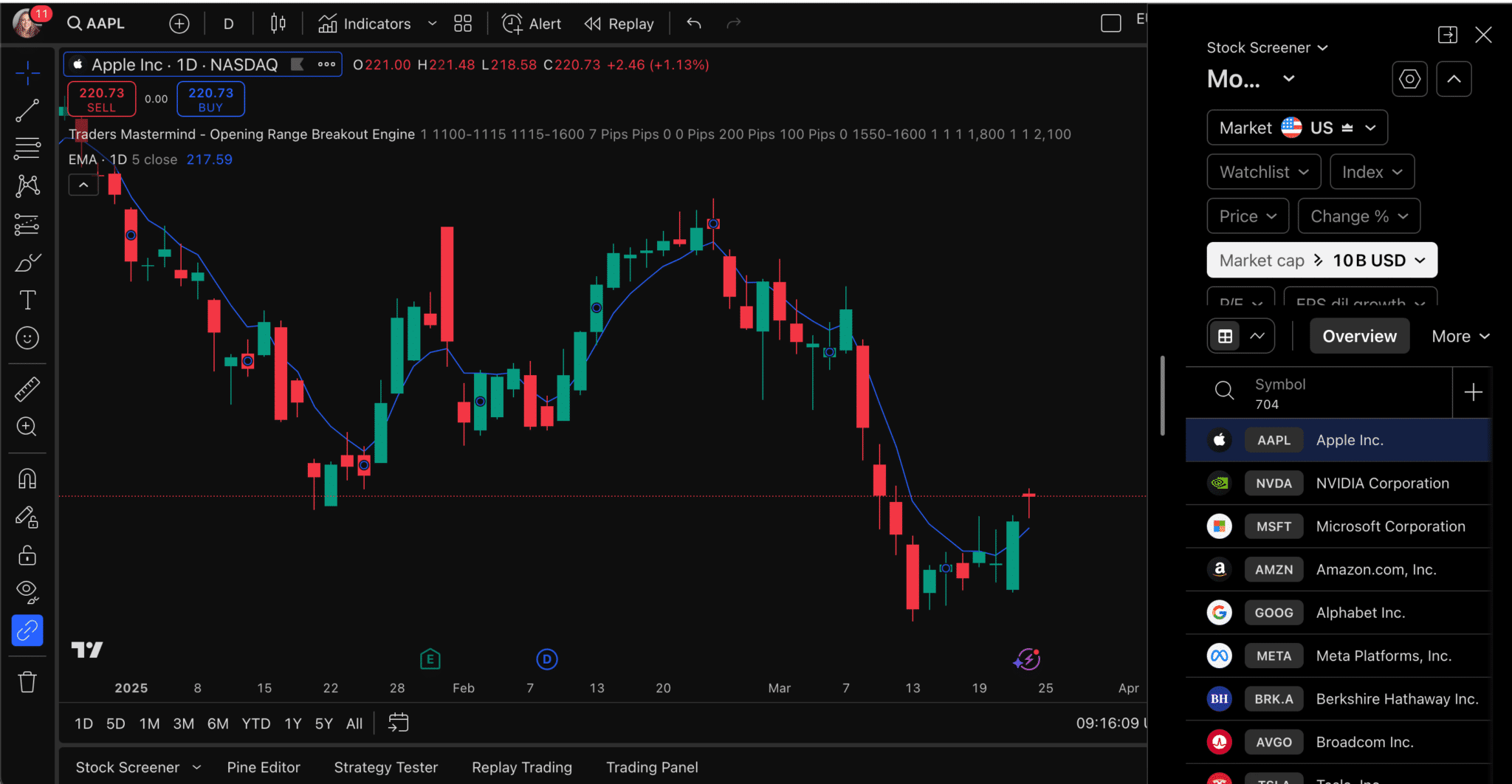
TradingView, MT5, cTrader, MT4
500:1
FP Markets uses Equinix NY4 servers for minimal latency and deep market access on cTrader
Extra charting tools help beginners identify trade setups directly within the platform
Competitive pricing on cTrader Raw accounts keeps costs low for active traders
Support teams are well-trained to assist Indian users with onboarding, verification and MT5/cTrader navigation
May deter absolute beginners looking for micro-account options
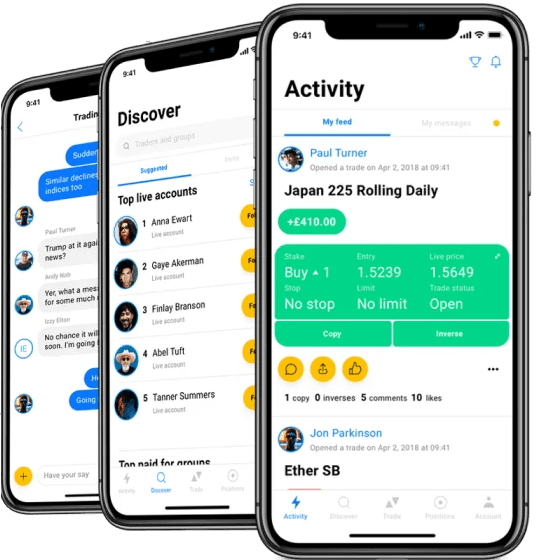
While MetaTrader supports Signal copying, cTrader users must use third-party integrations
FP Markets | Best for: Indian traders looking for deep liquidity, competitive commissions, and integration with Trading Central
FxScouts
YouTube
Select another broker to another broker to compare features, fees, and platforms side by side.
0 pips
VFSC, ASIC
AUD 0
TradingView, MT5, cTrader, MT4
500:1
Fusion Markets offers unmatched value for scalpers and high-volume traders
cTrader ECN feeds directly from top-tier liquidity providers for tighter spreads and better fills
Support team trained in assisting Indian clients and issues specific to regional payments
Fusion supports Indian clients via international bank cards and e-wallets compatible with INR
Currently lacks UPI or INR-specific local payment methods
Limited learning materials compared to larger brokers like IC Markets or AvaTrade
Select another broker to another broker to compare features, fees, and platforms side by side.


cTrader is a trading platform that connects you directly to the market without broker interference. It’s designed to be fast, reliable, and easy to use, offering clear pricing and smooth order execution. You can analyse charts, automate your trades, or follow other traders’ strategies — all within a modern, user-friendly interface suitable for both beginners and experienced traders.
cTrader’s appeal comes from its combination of speed, transparency, and modern design. All orders are executed on Spotware’s independent servers, which removes the possibility of broker interference and helps ensure accurate pricing.
Server-side processing keeps orders responsive, even when your trading terminal is offline. The interface is clean and intuitive, while the charting package includes multiple layouts, more than 50 indicators, and live depth-of-market data for a clear view of market liquidity.
For advanced traders, cTrader Automate supports algorithmic strategies written in C#, and cTrader Copy enables transparent social trading directly within the platform. These features work consistently across desktop, web, and mobile, creating a fast, reliable environment trusted by traders worldwide.
cTrader delivers a unified trading experience across desktop, web, and mobile platforms, each designed for seamless synchronisation.
The most feature-rich version, offering advanced chart customisation, tick-data backtesting, and full support for algorithmic trading via cTrader Automate. Best for detailed analysis and strategy development.
A near-identical experience accessible through any modern browser, ideal for traders who need quick access without installing software.
Available on iOS and Android, the app includes 26 timeframes, gesture-based charting, and full trade management features so you can monitor or adjust positions from anywhere.
All versions are connected through a single cTrader ID (cTID), giving you one secure login for all demo and live accounts across supported brokers.
Both cTrader and MetaTrader (MT4/MT5)are leading trading platforms, but they suit different trading styles. MetaTrader offers wider broker support and a larger community, while cTrader focuses on transparency, execution quality, and a more modern user experience.
| Feature |
cTrader |
MetaTrader 4 / 5 |
|---|---|---|
|
Execution Model |
True ECN / No dealing desk |
Broker-dependent |
|
Charting |
Advanced, customisable, modern interface |
Functional but dated |
|
Algorithmic Trading |
C# via cTrader Automate |
MQL4 / MQL5 |
|
Copy Trading |
Built-in (cTrader Copy) |
External |
|
Depth of Market |
Full multi-level view |
Limited |
|
Broker Control |
Independent (Spotware-hosted) |
Broker-managed |
MetaTrader remains the more widely accessible platform, but cTrader delivers greater fairness, execution speed, and precision. For traders who prefer a cleaner interface and institutional-style conditions, cTrader offers a more modern and transparent trading experience.
cTrader’s design gives it several advantages over most retail trading platforms, though there are a few limitations to keep in mind.
cTrader includes both automated and social trading features directly within the platform.
Using cTrader Automate, traders can build and run algorithmic strategies — known as cBots — in C#. These can be backtested using real tick data, optimised for different market conditions, and hosted on a VPS for continuous low-latency execution. This setup is ideal for traders who rely on systematic or quantitative strategies.
With cTrader Copy, traders can follow or share strategies without leaving the platform. Each strategy includes verified performance data, risk metrics, and transparent fees. It’s a straightforward way to learn from experienced traders or build a following of your own.
Opening a cTrader account is simple and usually takes just a few minutes.
Once setup is complete, you can switch between demo and live trading seamlessly under the same cTrader ID, with all your layouts and preferences synced automatically. When you’re ready, moving from demo to live trading simply requires funding your account and applying disciplined risk management.
cTrader delivers a professional trading experience built on transparency, technology, and control. Its independent infrastructure and ECN execution offer direct access to the market, while its advanced charting, automation, and copy-trading tools provide everything needed to trade with precision.
Although fewer brokers support cTrader than MetaTrader, those that do generally offer strong regulation and high-quality trading conditions. For traders who value fairness, speed, and a modern interface, cTrader remains one of the most capable and reliable platforms in 2026


Find quick answers to the most common questions traders ask about the cTrader platform and its features.
Yes. The platform is free to download and use. Brokers charge standard trading costs through spreads or commissions.
Yes. You must open a demo or live account with a regulated broker that supports cTrader to access market data and execute trades.
Yes. The built-in cTrader Copy feature allows users to follow or share trading strategies directly within the platform.
Yes. cTrader Automate supports C#-based trading bots (cBots) with real-tick backtesting and optimisation.
It depends on your priorities. cTrader offers true ECN execution, a modern interface, and high transparency, while MetaTrader provides wider broker availability and a larger community.
Yes. Your cTrader ID works across all brokers offering the platform, allowing you to manage multiple demo and live accounts with a single login.
Explore more resources that fellow traders find helpful! Check out these other guides to enhance your forex trading knowledge and skills. Whether you’re searching for the best brokers, educational material, or something more specific, we’ve got you covered:

Discover the top Forex brokers for Indian traders. Compare top platforms, fees and features to make an informed trading choice.

Regulation is the most important consideration when choosing a broker. Learn how regulators protect traders and how the Forex market is regulated.

Good Forex brokers for beginners will help their clients get started. These are the best Forex brokers for beginners for 2026.
60-90% of retail traders lose money trading Forex and CFDs. You should consider whether you understand how CFDs and leveraged trading work and if you can afford the high risk of losing your money. We may receive compensation when you click on links to products we review. Please read our advertising disclosure. By using this website, you agree to our Terms of Service.
Partner Manager and Financial Writer
Head of Content
Financial Writer




Welcome to the FxScouts community! We’re thrilled to have you on board. You’ve successfully signed up for our forex newsletter, where you’ll receive expert insights, market analysis, and the latest news straight to your inbox.
Get ready to stay ahead of the curve with our regular updates designed to help you make informed trading decisions.
Happy trading!
The FxScouts Team