Alison Heyerdahl
Edited by
Author
Alison Heyerdahl
Edited by
Alison Heyerdahl
Head of Content

Alison Heyerdahl is the Head of Content at FxScouts, a Chartered Market Technician (CMT), and an experienced trader, as well as a financial writer with extensive expertise in Forex trading, broker analysis, and market research. She has reviewed 100+ brokers, publishes weekly YouTube trading videos, and co-hosts the “Let’s Talk Forex” podcast.


Learn more about Alison Heyerdahl
Author
Author
Chris Cammack
Partner Manager and Financial Writer

Chris Cammack is the Partner Manager and a financial writer at FxScouts. Chris builds and maintains our relationships with our partners to provide our users with the best Forex trading experience.

Learn more about Chris Cammack

Trade.com

71.36% of retail CFD accounts lose money with this provider

Available to traders in %s

Min deposit

USD 100

Regulated By
Varies by region

CySEC, FCA, FSCA

Trading Cost

USD 19

Max Leverage
Varies by region

30:1

Copy Trading
Varies by region

Yes

Platforms

MT4, MT5, Sirix

Instruments

Bonds, Commodities, Cryptocurrencies, Stock CFDs, ETFs ( )
Forex, Indices

Trade.com Broker Review

Trade.com is a reliable, well-regulated broker with a wide range of tradable assets available on the MT4, MT5, and Webtrader platforms that appeals to traders who are willing to pay higher minimum deposits for tighter spreads.  

Trade.com offers an impressive range of over 2100 tradable assets, including Forex, commodities, indices, cryptocurrencies, bonds, ETFs, and over 2000 stock CFDs.  Support is offered for the MT4, MT5, and Webtrader platforms, but Trading Central is only available to those who deposit over 10,000 USD. 

With four live accounts, minimum deposits start at 100 USD on its entry-level account, but spreads are wider than other similar brokers at 1.9 pips on the EUR/USD.  Spreads tighten to 0.8 pips on its top-tier Exclusive Account, but this is in exchange for a minimum deposit of 100,000 USD, putting it out of the reach of most traders.  

One major drawback is that Trade.com offers virtually no educational or market analysis materials, forcing traders to self-educate with other third-party platforms.   

Visit Broker
Accepts Indian Clients. Average spread EUR/USD 1.90 pips on trading account with lowest minimum deposit. Max leverage 30:1. Islamic account available. MT4 platform supported. Trade.com is regulated by CySEC, FCA and the FSCA. 71.36% of traders lose money with this provider.

Pros

  • Well regulated
  • Wide range of assets

Cons

  • Limited education
  • Wide spreads
Rating Reviews
3.52

Trade.com Overall Summary

Trust Rating
4.5
Trading Conditions
3.5
Platforms
4
Education
1.5
Beginner Friendly
2
Assets Available
3.5
Analysis Research
1
Deposit & Withdrawal
3
Overall Rating
3.52
/ 5
Base Currencies
CHF, CZK, EUR, GBP, ZAR, USD, PLN
Number of FX Pairs
55
Crypto Pairs
12
Copy Trading
Yes
Hedging Allowed
Yes
Scalping Allowed
Yes
Islamic Account
No
Account Name
Gold
Commission
Fees Included in Spread
EUR/USD
3.00
GBP/USD
3.00
USD/JPY
3.00
Negative Balance Protection
Yes
Company Name
Leadcapital Markets Ltd
Founded
2013
Website Language
English
Support Language
English
Office Locations
Cyprus
Support Email Address

Deposit & Withdrawal

banktransfer
giropay
ideal
maestro
mastercard
neteller
paypal
skrill
sofortbanking
trustly
visa

Supported Platforms

Best MT4 Forex Brokers
Best MT5 Forex Brokers
Sirix
Trade.com

Full Trade.com Review


Trade.com is a safe broker to trade with.  It maintains regulation from some of the top regulators, including CySEC from Cyprus, the UK’s FCA, and the FSCA of South Africa.

Is Trade.com Safe?

Global traders will be trading under the subsidiary, Trade Capital Markets (TCM), authorised and regulated by the Cyprus Securities and Exchange Commission (CySEC).  CySEC is considered a top-tier regulator and mandates that Trade.com segregates client funds from its operating capital in various banking institutions. It also provides its clients negative balance protection, so that they cannot lose more than is in their trading accounts. 

In line with regulatory requirements, Trade.com insures all client money through the Investor Compensation Fund (ICF).  The objective of the ICF is to secure any claims of covered clients against members of the ICF by paying its clients compensation in the event that the company is liquidated.

Additionally, although Trade.com is a market maker, it has processes in place to ensure that traders receive the best execution and has published a conflict of interest policy.

Overall, with its long history of responsible behaviour and strong international regulation, we consider Trade.com a safe broker to trade with.  

Opening an Account at Trade.com

Trade.com’s account opening process is fully digital and fast.

Traders from India are not eligible to open a Trade.com account.  

The account-opening process is as follows:

  1. Traders can sign up for an account by clicking on the “Open Account” button.  
  2. Clients will be directed to register an account with a password and username.  Traders will also have to select their preferred base currency.
  3. Trade.com’s intake form requires clients to fill in their email address, name, telephone number, country of residence, and date of birth.  
  4. Trade.com then requires prospective traders to answer questions regarding their financial knowledge and level of trading experience, and are required to complete a compliance quiz.
  5. In order to verify their identity, individuals are required to submit a copy of their National ID or Passport with the signature page, and a copy of a recent utility bill or bank statement displaying the client’s name and address that is not older than three months.  In order to upload these documents, navigate to the My account section at the top right corner. Go to Upload documents and select the document from your computer. 
  6. Once the documents have been uploaded, traders can deposit funds and begin trading.  

We suggest you read Trade.com’s risk disclosure, customer agreement, and terms of business before you start trading. 

Overall, Trade.com’s account-opening process is quick, efficient, and accounts are generally ready for trading within a matter of hours.

Primary Image
Secondary Image

Trade.com’s Trading Instruments

Trade.com offers trading on Forex, indices, shares, commodities, cryptocurrencies, bonds, and ETFs.

Available Assets and Leverage

Trade.com  provides a broader range of tradable assets than most other brokers.

Primary Image
Secondary Image

Trade.com Accounts and Trading Fees

While Trade.com offers more account types than most brokers, most accounts have both higher minimum deposits and higher trading costs than other similar brokers.   

Trading Fees

Trading costs are included in the variable spreads on each account.  Spreads are variable at Trade.com, meaning that they will get wider or tighter depending on trade volume and market volatility.

The average cost of trading one lot of EUR/USD at similar Forex brokers tends to be 9 USD or lower. Compared to other brokers, Trade.com’s trading fees are significantly higher than average except for its Exclusive Account, where the costs are slightly lower than average – though this account does require a 100,000 USD minimum deposit.

Swap Fees

The other main trading cost to consider is the overnight swap fee. Swap fees are charged on trades held open overnight and is derived from the difference between the interest rates of the two currencies being traded.

Trading Accounts

We opened and tested a variety of Trade.com’s accounts:

Silver Account – The Silver Account requires a minimum deposit of 100 USD and spreads are reduced to a minimum of 1.9 pips on the EUR/USD. In addition, clients with this account will have access to daily analysis and a dedicated account manager.

Gold Account – The Gold Account requires a minimum deposit of 10,000 USD but comes with premium daily analysis and access to Trading Central. Spreads on EUR/USD are down to 1.4 pips.

Platinum Account – The Platinum Account has the same features as the Gold Account, but with premium customer support, spreads of 1.0 pips on the EUR/USD, and a higher minimum deposit of 50,000 USD.

Exclusive Account – This has all the same features as the Platinum Account but spreads are down to 0.8 pips on the EUR/USD – though the minimum deposit is 100,000 USD, making it inaccessible to most traders.

Demo Account

Like most brokers, Trade.com offers a free demo account so new traders can get a feel for the trading platforms and an understanding of the assets to trade. Unfortunately, unlike most other brokers, opening a demo account at Trade.com does require registering for a live account first. Once signed up, you’ll receive your login credentials the same day.

Primary Image
Secondary Image

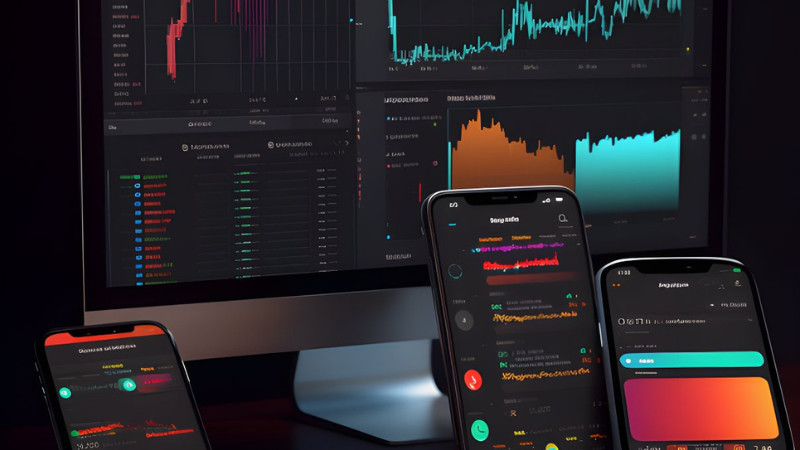
Trade.com's Mobile Trading Platforms

Trade.com’s trading platform support is better than other similar brokers, with MT4, MT5, and its proprietary WebTrader platform available.

Mobile Trading Platforms

The MT4, MT5, and WebTrader applications offer full Trade.com account functionality to offer a seamless transition from the desktop application. These are available on both Android and iOS.  However, traders should be aware that these apps may vary in the number of technical indicators and instruments available to trade, and have different chart types and market analysis tools compared to the desktop versions. 

Trading Platform Comparison

Broker
Platform Choice
Copy Trading
Platforms
Trade.com
Yes
MT4, MT5, Sirix
XM
Yes
MT4, MT5
Fondex
Yes
cTrader

Overall, Trade.com’s platform support is better than other similar brokerages, and it offers its own proprietary trading platform which is easier to use and set up than MT4 and MT5.

Other Trading Platforms

Trade.com presents traders the choice between the industry-standard MT4 and MT5 products, in addition to its own proprietary WebTrader platform.  

All platform choices are free to use, all can be downloaded to your PC and all have web versions of the platform. All platforms are also available on mobile Android and iOS devices.

Metatrader 4

MetaTrader 4 (MT4) is still undoubtedly the world’s most popular trading platform for forex traders due to its ease of use, feature-rich environment, and automated trading ability.   Features of Trade.com’s MT4 platform include:

  • 30  technical indicators

  • 31 graphing objects

  • Three chart types

  • Nine timeframes

  • One-click trading.  

  • Traders can also add custom EAs and indicators.

While MT4 has great customizability, the platform feels outdated, and some of the features may be hard to find.  In addition, only the basic orders are available, including Market, Limit, Stop, and Trailing Stop.

MetaTrader 5

The newer version of the MetaTrader platform suite, MT5 is being adopted by more traders all the time.  MT5 incorporates all of the key features of MT4 and an optimised environment for EA trading. 

Features of Trade.com’s MT5 include:

  • 38+ preinstalled technical indicators

  • 44 analytical charting tools

  • 6 pending order types

  • 4 order execution types

  • Three chart types

  • 21 timeframes

  • Detachable charts

  • Depth of Market

  • An integrated Economic Calendar.

The benefit of Trade.com offering third-party platforms such as MT4 and MT5 is that traders can take their own customised version of the platform with them should they choose to migrate to another broker.  Additionally, there are thousands of plugins and tools available for the MetaTrader platforms. 

Trade.com WebTrader

Trade.com offers its own proprietary WebTrader that allows traders to trade on all the financial instruments available at the broker and includes various charting tools and technical indicators. It has an intuitive interface and is easy to use and set up.  One drawback is that automated trading solutions remain unavailable, which is why the broker offers both MT4 and MT5.  Features of Trade.com’s Webtrader include:

  •  Access to over 2,100 assets, including forex pairs, cryptocurrencies, global exchanges, and commodities
  •  Multi-chart display windows with independent chart functions
  •  Web-based with mobile compatibility.
  •  Trending tools, Trading Central, Events & Trade.
  •  Secure management tools for trading, accounts, and risk management.
  •  Style and chart settings including colour, timing, and price action display
  • Access to online assistance 24/5

Primary Image
Secondary Image

Trade.com Deposits and Withdrawals

Trade.com offers a wide selection of funding and withdrawal methods, but withdrawal fees apply in some circumstances.  

Account Currencies and Funding Options

In line with Anti-Money Laundering rules, Trade.com does not process payments to third-party accounts. All withdrawal requests from a trading account will be funded to a bank account or source in the trader’s name.

Trade.com offers a range of account funding and deposit methods, including bank transfer, debit cards/credit cards, and various eWallets (Skrill and Neteller).  Deposits are free on all funding methods and are processed immediately, or within 12 hours.

Trade.com provides a wide selection of deposit and withdrawal methods but is not transparent about the fees associated with withdrawals or its processing times.

Base Currencies

At Trade.com, traders can choose from seven base currencies: USD, GBP, EUR, CHF, CZK, PLN, and ZAR.  This is a broader range than other international brokers.  

While most Malaysian residents will want to have their trading accounts denominated in USD, some traders may want to have multiple accounts with different base currencies to avoid paying conversion fees when trading.  Conversion fees can make trading expensive, and are usually not presented on the fee report, but affect profitability.  

For traders that trade in large volumes (more than 10 lots a month), it is better to open an account denominated in USD at a digital currency bank, especially for trading on assets such as the EUR/USD. This is because when trading a USD quoted currency pair with an MYR account, there will be a small conversion fee for every trade made.

Primary Image
Secondary Image

Trade.com’s Research and Trading Tools

Trade.com’s trading tools are limited compared to other similar brokers.

Trading Tools

Trade.com’s only trading tool is Trading Central.  This is limited compared to other brokers who offer technical tools such as Autochartist, VPS services, and various copy trading platforms.  

Trading Central

Trading Central is only available on the Gold, Platinum, and Exclusive Accounts.  A third-party tool, Trading Central’s professional analysts use the most advanced technical analysis tools in the industry to curate relevant information. This tool essentially supports traders without the technical know-how in making trading decisions.  Trading Central is one of the most popular trading tools available and provides excellent market analysis.

Trading Tools Comparison

Autochartist
Trading Central
Trading View
No
Yes
Yes
No
Yes
No
Yes
No
No

Overall, the number of trading tools available at Trade.com is underwhelming compared to what is offered at other brokers.

Analysis Material

Trade.com’s analysis materials are severely limited compared to other similar brokers.  

Trading Central is available for Gold, Platinum, and Exclusive Account levels, along with the premium market analysis. Lower deposit accounts will need to survive with a daily market analysis email and a news feed that is aggregated from other news sources.

Primary Image
Secondary Image

Trade.com’s Educational Material

Trade.com’s educational materials are virtually non-existent, making it a poor choice for beginner traders.  

Only with a minimum deposit of 10,000 USD can traders access the services of Trading Central.  It is clear that Trade.com does not cater to beginner traders or those who want to test its services with a low initial deposit.  

Education Comparison

Unlimited Demo Account
Beginner Course
Advanced Course
No
No
No
No
Yes
Yes
No
No
No
Primary Image
Secondary Image

Trade.com’s Customer Service

Support is available via live chat and email from Monday 03:30 till Saturday 03:30 GMT – 24/5.

A dealing desk phone number is available for making traders when away from the computer, but this number does not offer any technical support.

For the purposes of this review, we found the customer support generally unresponsive. 

How Brokers Are Scored

FxScouts’ Broker Score and Trust Rating constantly evolve to reflect the forex market’s dynamics. We ensure transparency by incorporating regulator data and user insights. Our in-depth reviews consider over 200 metrics across seven key categories. The radar chart to the left shows how important each category is when calculating a broker’s final score.

  • Trust Rating: Assessment of broker reliability and reputation
  • Trading Costs: Spreads and fees for clear comparisons
  • Platforms: User-friendliness and features 
  • Asset Selection: Forex, stocks, and other available instruments
  • Deposit and Withdrawal: Simple and free deposits & withdrawals
  • Education: Support for beginners and developing traders
  • Customer Support: Accessibility, responsiveness, and expertise


To ensure fairness and transparency, we independently verify broker claims and integrate real-user feedback, regulator data, and live trading tests. The radar chart to the left illustrates the weight of each category in our final scoring system.

Why Our Reviews Set the Standard

Every broker we recommend meets strict trust and safety criteria and is tested for reliability, transparency, and overall trading experience.

Trade.com Risk Statement

Trade.com Risk Statement


Trading Forex is risky, and each broker is required to detail how risky the trading of Forex CFDs is to clients. Trade.com would like you to know that: CFDs are complex instruments and come with a high risk of losing money rapidly due to leverage. 71.36% of retail investor accounts lose money when trading CFDs with this provider. You should consider whether you understand how CFDs work and whether you can afford to take the high risk of losing your money.

User Reviews

Loading reviews...

Meet the Experts Behind Our Unbiased Reviews

Chris Cammack

Partner Manager and Financial Writer

Chris Cammack
Chris Cammack is partner manager and senior financial writer at FxScouts, specialising in broker relations and forex market analysis. As the former Head of Content (2019–2024), he set editorial standards for all content published at FxScouts, including broker reviews, broker comparison pages and education. With over a decade of experience in editorial management and partner relations, Chris builds and maintains our relationships with our partners to provide the best Forex trading experience for our users. He also co-hosts the “Let’s Talk Forex” podcast with Alison Heyerdahl, where he explores trading strategies, industry news, and macroeconomic trends to help traders navigate the markets with confidence.

Alison Heyerdahl

Head of Content

Alison Heyerdahl
Alison Heyerdahl is the Head of Content at FxScouts, a Chartered Market Technician (CMT), an experienced trader, and a financial writer with extensive hands-on experience in the Forex trading industry. She specialises in Forex trading, broker analysis, and market research, with a focus on helping traders navigate the complex world of online trading safely and confidently. Alison has tested and reviewed more than 100 Forex brokers, assessing everything from regulatory status and trading conditions to platform features and customer support. Her goal is to provide honest, detailed, and practical insights that traders can rely on when choosing a broker. She’s also produced more than 300 educational videos for the FxScouts YouTube channel, where she explains trading concepts in a clear, accessible way. As the co-host of the “Let’s Talk Forex” podcast, Alison shares expert commentary on broker reliability, trading strategies, and market developments—always with a focus on transparency and trader protection.

Stefan de Clerk

Financial Writer

Stefan de Clerk
Stefan is a financial writer and Forex trading enthusiast with over a decade of experience creating in-depth content on finance and technology. His deep interest in geopolitical events, big data, and market sentiment fuels his passion for analyzing how global factors shape financial markets. With a background in marketing and financial research, Stefan believes that Forex trading offers the best insight into the pulse of the world economy. Committed to delivering well-researched, unbiased, and objective information, he helps traders navigate the markets with clarity and confidence.
1.
XM
2.
HFM
3.
AvaTrade
4.
IC Markets
5.
FP Markets
6.
Pepperstone
7.
XTB
8.
PU Prime
9.
ACY Securities

Others Also Viewed

Explore more resources that fellow traders find helpful! Check out these other guides to enhance your forex trading knowledge and skills. Whether you’re searching for the best brokers, educational material, or something more specific, we’ve got you covered:

Best Forex Brokers in India

Discover the top Forex brokers for Indian traders. Compare top platforms, fees and features to make an informed trading choice.

Justice resized

Guide to Forex Trading Regulation

Regulation is the most important consideration when choosing a broker. Learn how regulators protect traders and how the Forex market is regulated.

Beginner featured image

Best Forex Brokers for Beginners 2026

Good Forex brokers for beginners will help their clients get started. These are the best Forex brokers for beginners for 2026.

Compare Forex Brokers

Compare Forex Brokers


Use our comparison tool to compare two brokers based on their trust rating, costs, features, platforms and many other aspects. Find the right broker to suit your trading style and budget.

Polygon icon
Polygon icon